
A Learner Experience Built for Engagement
An intuitive LMS designed for learner engagement
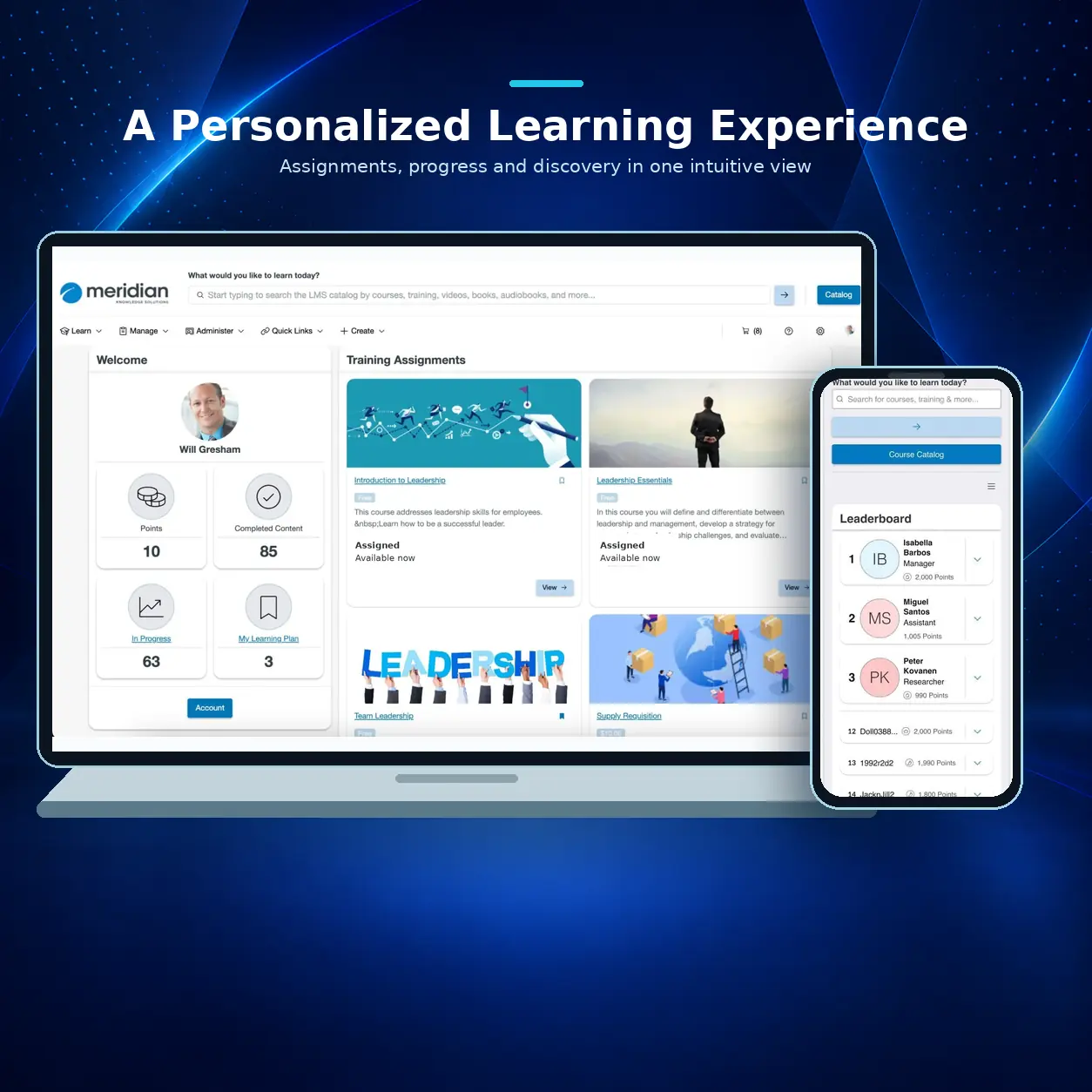
Meridian LMS is designed with the learner in mind. It offers an easy-to-use platform that simplifies access to courses, certifications, and learning materials. The platform's learner-centric design encourages self-paced learning, making it simple for users to find relevant content, track their progress, and achieve their learning goals.
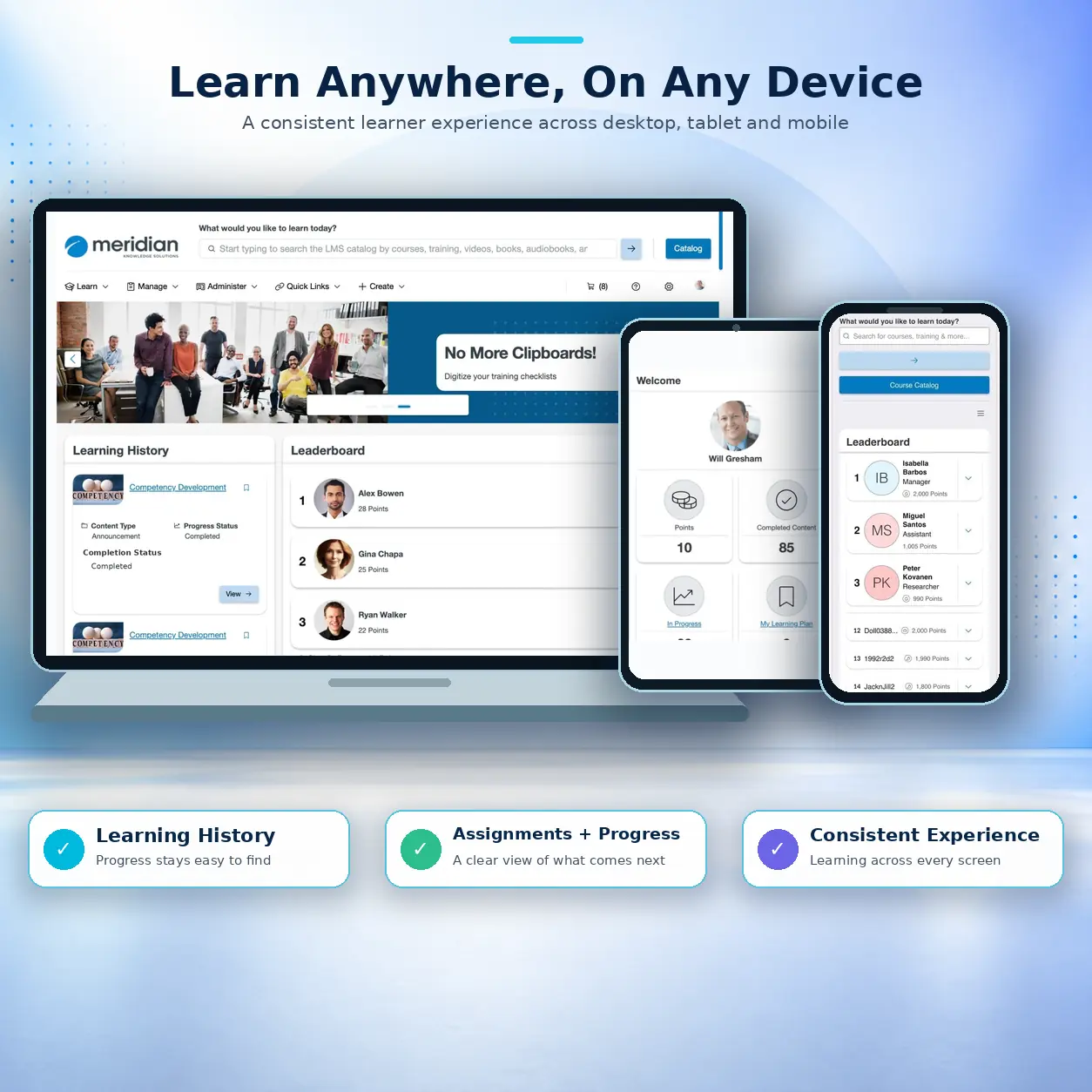
Meridian LMS enhances learner engagement and satisfaction through features such as personalized dashboards, device-responsive learning, and multimedia support. Whether learners access the platform on desktop or mobile devices, Meridian LMS ensures a seamless, engaging experience that drives meaningful learning outcomes.
A Partner Committed to Your Success
Decades of Expertise
Dedicated Support
Growth Commitment
Partner Ecosystem
Key LMS features to enhance the learner experience
All Device Learning
Cross-Device Compatibility:
User-Friendly Interface
Designed for ease of use, Meridian LMS's intuitive navigation makes it simple for learners to find courses, track progress, and manage certifications. The platform's clean, modern design reduces friction and improves learner satisfaction.
Dashboard Overview:
Easy Navigation:
Customizable Interface and Landing Pages:
Engaging Content Delivery
Meridian LMS supports multimedia content, including videos, images, quizzes, and interactive elements that keep learners engaged and motivated. The system allows organizations to deliver rich, varied content that caters to different learning modalities.
Multimedia Support:
Interactive Elements:
Content Variety:
Gamification and Badging
Motivate learners by incorporating gamification elements like points, badges, and leaderboards. Recognize achievements and encourage friendly competition to improve course completion rates and engagement.
Achievement Badges:
Leaderboards:
Progress Tracking:
Social Learning and Collaboration
Foster a collaborative learning environment with social tools like discussion boards and forums. These tools allow learners to interact with peers, share knowledge, and collaborate, enhancing the learning experience. Learners can engage in topic-specific conversations, share files, and participate in moderated discussions, all within a supportive community.
Discussion Forums:
Collaborative File Sharing:
Moderated Discussions:
Self-Directed Learning
Empower learners to explore additional content beyond their required courses. Learners can discover new topics and pursue self-paced learning opportunities with a searchable course catalog and easy-to-use navigation. Learners can bookmark content for review and enrollment later, avoiding needing to search again. Learners can self-select content categories and review system-recommended content based on their role, completions, or other similar roles of users.
Course Recommendations:
Searchable Catalog:
Certification Overview:
Progress and Certification Status
Learners can effortlessly monitor their learning journey through personalized dashboards that display completed courses, upcoming deadlines, and current certification statuses. The intuitive interface allows learners to view assigned content or certification requirements and track their progress toward required training or recertification.
Download Certificates:
Automated Notifications:
Progress Reports:
Accessibility and Inclusivity
Meridian LMS is built with accessibility in mind. It ensures that all learners, including those with disabilities, have an equal opportunity to engage with content. The platform complies with accessibility standards such as Section 508 and WCAG 2.1.
Screen Reader Compatibility:
Keyboard Navigation:
Captioning and Transcripts:
Assessments and Feedback
Deliver interactive quizzes, assessments, and surveys within courses to test knowledge retention and provide immediate feedback to learners. This keeps users engaged while ensuring they understand key concepts. Follow-up surveys can be sent to learners and managers to determine if content impacts business initiatives.
Varied Question Types:
Survey Tools:
Evaluations:
Instant Feedback:
Our Commitment to Security & Compliance
SSO Integration
Role-Based Access
Automated Certification
FedRAMP® 20x
Support Every Stage of Workforce Learning
Employee Onboarding
Employee Development
Compliance Training
E-Commerce
Extended Enterprise
Blended Learning
Designed for the Demands of Your Industry

Federal Government

State & Local Government

Commercial Enterprise
Trusted By Federal, State & Local Governments, and Commercial Organizations




Ready to Elevate Your Learning Program?
LMS Learner Experience
Meridian LMS improves learner engagement through personalized dashboards, intuitive navigation, interactive content, and self-directed learning opportunities. Features such as gamification, digital badges, discussion forums, and learning recommendations help motivate learners, encourage participation, and support course completion.
Yes. Meridian LMS features a responsive design that lets learners access courses, training materials, assessments, and certifications on desktops, tablets, and mobile devices. This flexibility supports learning anytime, anywhere, making training more accessible for remote, hybrid, and distributed workforces.
Yes. Meridian LMS supports personalized learning experiences through role-based recommendations, searchable course catalogs, and individualized dashboards. Learners can explore relevant content, track development goals, and complete assigned or self-directed training based on their roles, interests, and learning needs.
Meridian LMS is designed to support accessibility standards, including Section 508 and WCAG 2.1. Features such as screen reader compatibility, keyboard navigation, and support for captions and transcripts help organizations deliver more accessible learning experiences for employees, contractors, and other learner audiences.